Moto Empire Codes & Free Cash Rewards (November 2026)
Redeeming promotional codes in Moto Empire is the fastest way to claim free starting cash and temporary 2x money boosts right from the in-game Shop menu. In the November 11, 2026 update build, both the official game description and live community gameplay footage confirm rewards for major update milestones and the new dyno feature. Below you will find the currently observed codes, exact redemption instructions, and tips for maximizing timed multipliers.
Observed Moto Empire Codes (November 2026)
The codes listed in the table below were directly observed being redeemed in November 11, 2026 community gameplay footage, with GIGAUPDATE1 also featured in the current official Roblox game description. Because we have not personally tested these strings on an internal site account and developer codes can expire at any time without advance notice, enter them in your Shop menu as soon as possible.
| Code | Observed Reward (Nov 11 Footage) | Verification Source & Status Note |
|---|---|---|
| GIGAUPDATE1 | 2X MONEY BOOST (30 MIN) | Listed in official game description and redeemed on screen in Nov 11 gameplay; may expire at any time. |
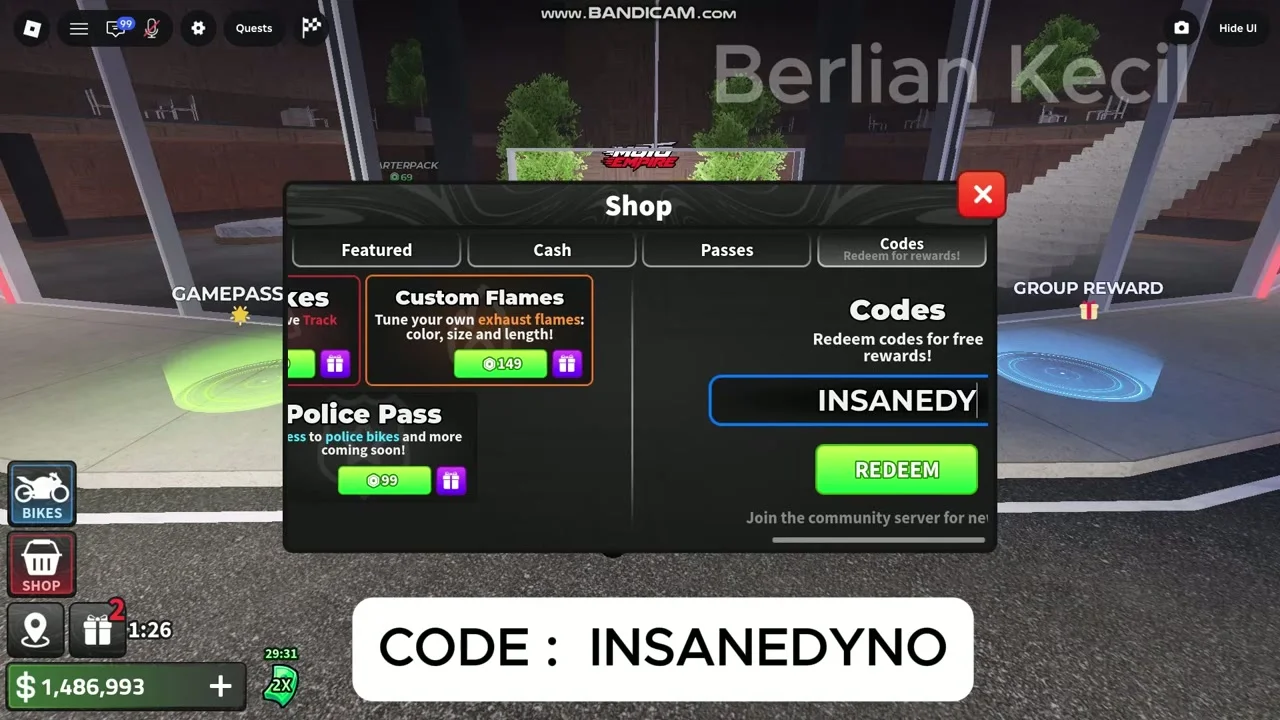
| INSANEDYNO | +$100,000 Cash | Redeemed on screen in Nov 11 community gameplay (+$100,000 CLAIMED message); may expire at any time. |
Since GIGAUPDATE1 provides a time-limited boost, consider entering INSANEDYNO first if you need the $100,000 cash to buy a dealership bike like the recorded $90,000 YAMARA YZF R-FIFTEEN V4 or purchase garage upgrades before your 30-minute racing window begins.
How to Redeem Codes in Moto Empire
You can access the code redemption box directly from the main interface as soon as you load into a server. Follow these verified steps from the English UI to claim your rewards:
- Launch Moto Empire on Roblox and load into the game world.
- Open the Shop window and look at the top navigation bar showing Featured, Cash, Passes, and Codes tabs.
- Click the Codes tab on the far right of the Shop menu.
- Type or paste the exact code into the text input box in uppercase letters.
- Click the REDEEM button and look for the on-screen confirmation banner, such as CODE REDEEMED! 2X MONEY BOOST (30 MIN) or +$100,000 CLAIMED.
Why a Code Might Not Work
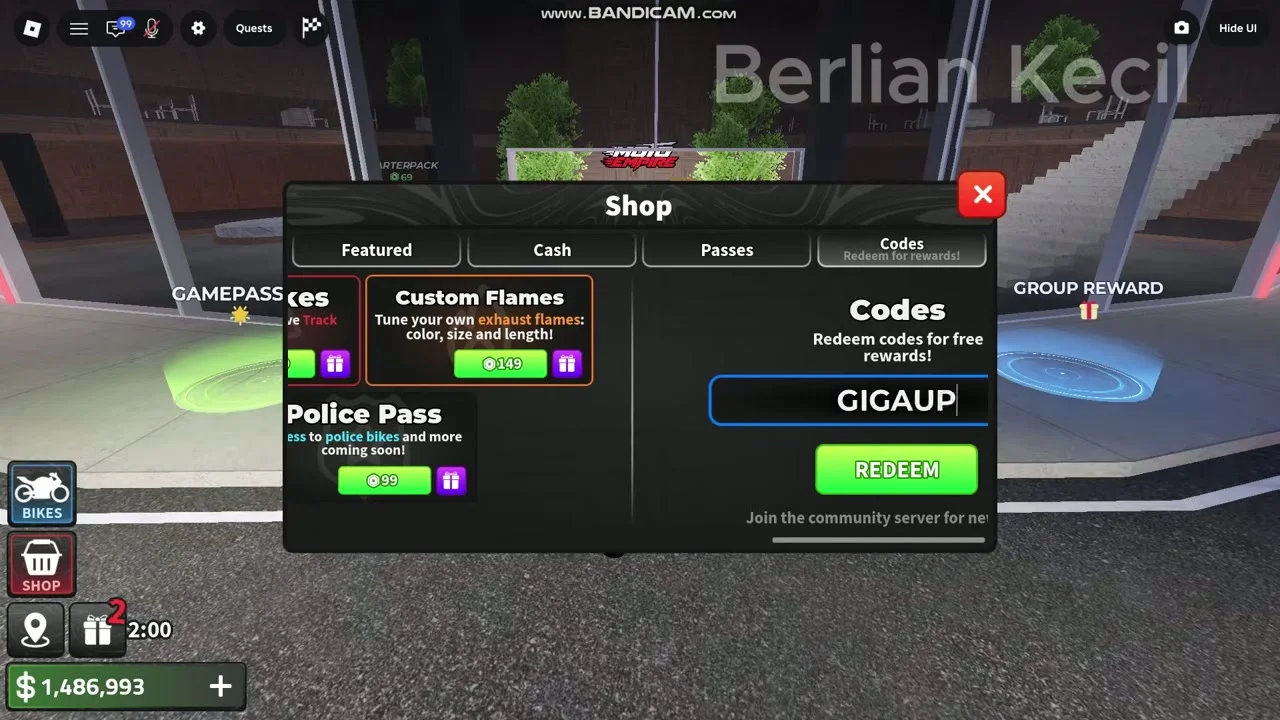
If you press REDEEM and do not receive the confirmation popup, first double-check your spelling and capitalization against the table above, making sure no extra space was copied at the end of GIGAUPDATE1 or INSANEDYNO. Read any response message carefully, including a notice that the code was already redeemed. A failed attempt alone does not identify the cause: expiry, account eligibility and server problems have not all been tested here. Do not treat an older third-party list as proof that a failing code still works.
Note on Unverified and Older Code Lists
When browsing third-party code roundups online, you may see older update strings mentioned from earlier development phases. We only list codes in our primary table when they are supported by current official descriptions or verified on-screen redemption footage from the latest update cycle. If an older code no longer registers in the Shop -> Codes tab, focus on the in-game Rewards and Quests panels, where daily tasks and playtime tiles provide reliable free cash every session.